Sweep removes the backlog
Mail you trash before enabling the pipeline is never enriched. Sweeping a sender with 3,000 messages of history is 3,000 model calls that never happen.
 Talavine
Your inbox is one part of your data hub. Teach Talavine how to handle routine mail so newsletters and alerts are easier to manage and useful conversations are easier to find.
Talavine's message pipeline makes one calibrated AI call per message to categorize, summarize, and route it. That's efficient, but in a typical mailbox most of the volume is newsletters, promotions, and notifications. Cleanup attacks the cost from three directions.
Mail you trash before enabling the pipeline is never enriched. Sweeping a sender with 3,000 messages of history is 3,000 model calls that never happen.
A taught sender is classified by your rule, not by a model. Newsletters, promotions, alerts, low-priority mail, and junk default to skipping the AI pipeline entirely: routed, filed, and labeled deterministically at zero cost.
Whatever still reaches the pipeline runs under a spend ceiling, with a full per-call cost history. Cleanup shrinks the bill; Spend Guard makes sure it can never run away.
When you connect a mailbox, Talavine downloads the full history first and then waits. AI processing doesn't start until you say so, which means you get one perfect window to clear junk before a single model call runs.
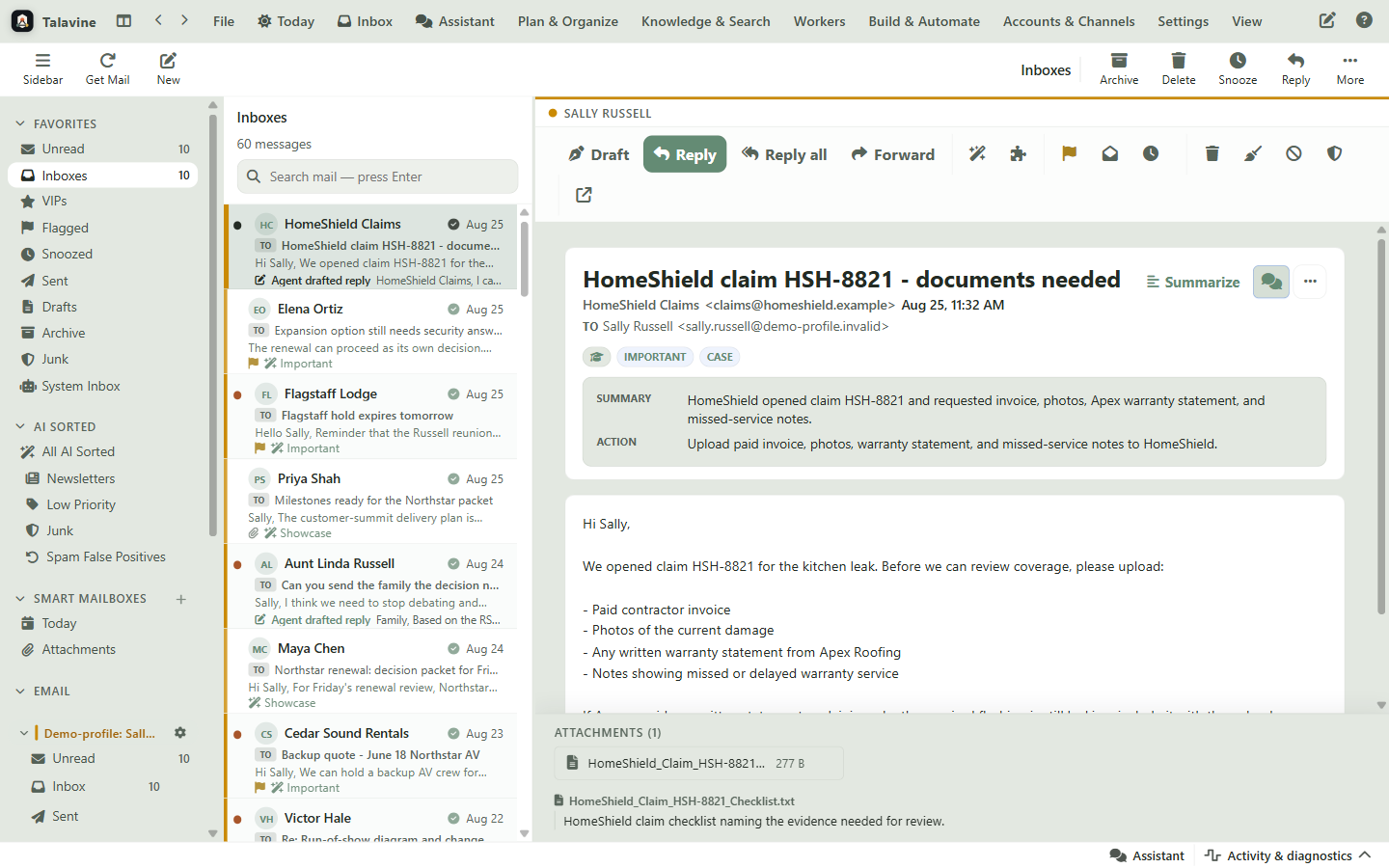
When an account's initial download completes, a banner appears at the top of the inbox: “your account is ready for cleanup.” It offers “Review cleanup helper”, which opens that account's dashboard, and “Start processing now” if you'd rather skip straight to AI processing.
With several accounts ready at once the banner offers “Start all now”, but running the helper first is where the savings are.
Open any account from the sidebar and the dashboard shows the same choice: “Cleanup done — start processing” once you've swept, or “Skip cleanup, start now” if the mailbox is already tidy. Until you pick one, the AI pipeline waits.
Nothing is lost by taking your time here. The mailbox is fully downloaded and searchable; only AI enrichment is on hold.
The account dashboard's Top senders card ranks the mailbox's highest-volume senders and shows only safe cleanup candidates. VIPs, address-book contacts, and anyone you've written to are filtered out. Check the noisy ones, pick an action, and let it run in the background.
Moves every message from the selected senders in this account to Trash. It's a one-time action: the sender isn't blocked, so future mail still arrives.
Sweeps the history and registers a permanent block, so future mail from those senders is stopped deterministically, with no model call needed to reject it.
Keeps the mail but moves it out of the inbox. Good for senders you might search later but never need to read.
Clears the unread noise without moving anything, for senders that are harmless but pile up.
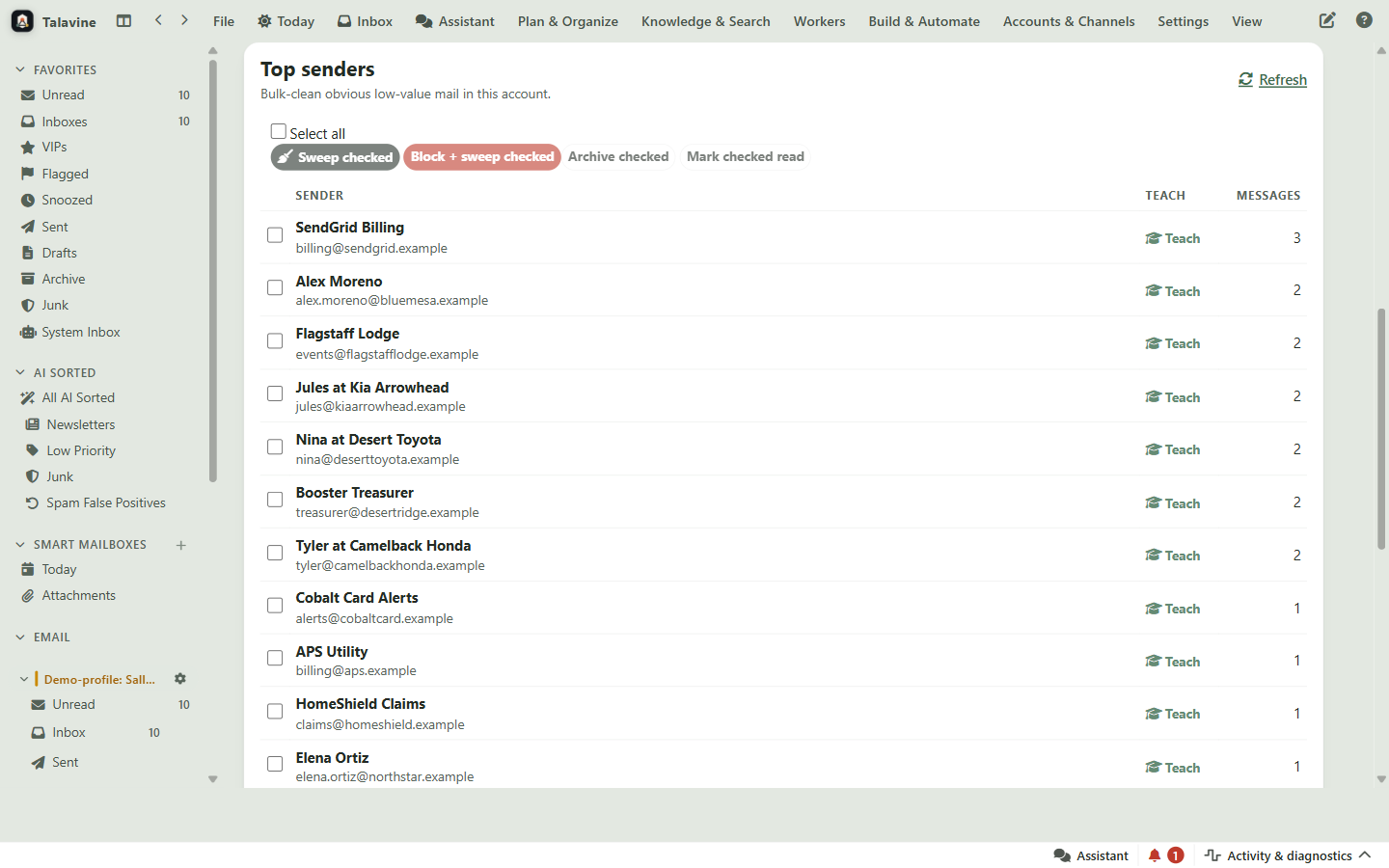
A progress dialog tracks the sweep: messages affected so far, then a short “Syncing to mailboxes” phase while the moves flow back to your mail server over IMAP. Before sweeping a sender you're unsure about, expand their row to preview sample messages; double-click any sample to read it in full.
Teach writes a deterministic routing rule for a sender: which category their mail belongs to, whether the AI pipeline should run for them, and how long their messages should live. It's available everywhere you meet a message.
Select any message and click “Teach”. A “Should be” menu lists the categories, so you can pick where mail like this belongs.
The context menu has the same Teach submenu, plus one-click “Teach: Junk / Block Sender” and “Teach: Phishing” for the obvious cases.
On the Unread view, “Teach senders” opens a triage panel of unclassified senders. “Preview AI suggestions” proposes categories with confidence scores; “Apply safe suggestions” accepts the non-destructive ones in bulk.
Each sender row has a Teach toggle that expands sample messages and category chips, so you can classify a sender while you're deciding whether to sweep them.
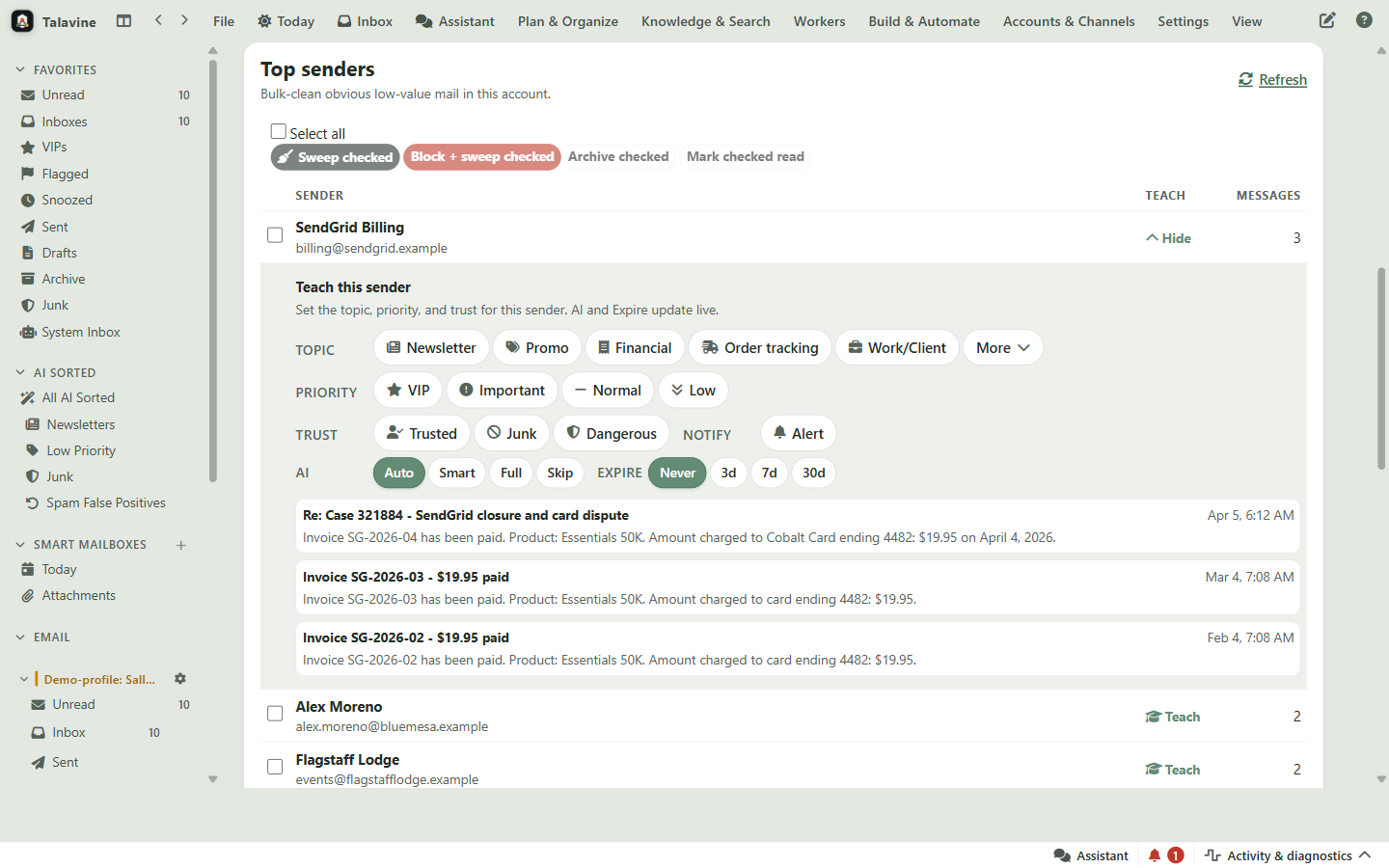
Inbox / important, Financial, Order tracking, Appointments / travel, Security, Health / legal / government, Work / client, Operational alert, Newsletter, Promotion, Low priority, plus one-click Junk and Phishing. Categories like Newsletter and Promotion route to their own AI-sorted stream instead of your inbox.
Streams are smart views, not new folders. Your underlying mailbox structure is untouched and stays compatible with every other mail client.
Each taught sender has an AI mode: Auto (the category decides), Full (always run the pipeline), or Skip (never spend a model call on them). There's also an Expire setting that auto-deletes their mail after 3, 7, or 30 days.
Newsletters, promotions, alerts, low-priority mail, junk, and phishing default to Skip. Pick Junk or Phishing and safe defaults (Skip + 3-day expire) apply in one click.
Run this once when an account finishes downloading, and your AI budget goes to the mail that deserves it from day one.
When the “ready for cleanup” banner appears, click “Review cleanup helper” instead of “Start processing now”. The Top senders table loads the account's highest-volume senders, already filtered to safe cleanup candidates.
Why it matters: The list deliberately excludes VIPs, address-book contacts, anyone you've emailed or replied to, and your own agents. People you actually correspond with never show up as sweep candidates.
Check the senders you never want to hear from again and click “Block + sweep checked”. For borderline senders, plain “Sweep checked” trashes the history without blocking. A progress dialog counts affected messages, then syncs the moves back to your mail server.
Why it matters: Sweeps go to Trash through standard IMAP, so your other mail clients stay in step and your provider's normal trash-recovery window applies.
For the high-volume senders that survive, expand the Teach row and click a category: Newsletter, Promotion, Order tracking, Financial, Alert, and more. Newsletters, promotions, alerts, and low-priority mail default to skipping the AI pipeline entirely.
Why it matters: Teach is a routing rule for similar future mail, not a one-off folder move. Classify a sender once and every future message from them is handled deterministically, at zero model cost for skip-mode categories.
In the same Teach control, the Expire chips (3, 7, or 30 days) auto-delete a sender's messages after they've gone stale. Delivery notifications, one-time codes, and daily deal mail clean themselves up from now on.
Why it matters: Choosing Junk or Phishing applies safe defaults automatically (skip the pipeline, expire in 3 days), so the worst mail needs exactly one click.
Click “Cleanup done — start processing”. AI enrichment now runs only over mail that earned a place in your inbox: the junk is in Trash, the blocked senders are gone, and the taught senders route themselves without model calls.
Why it matters: You can pause and resume processing from the dashboard at any time, and re-run a sweep whenever a new noisy sender shows up.
From now on, when a message lands in the wrong place, select it and hit “Teach”. Each correction becomes a permanent rule. Spend Guard caps total AI spend, and the LLM call history shows exactly what each model call cost.
Why it matters: A taught inbox converges fast: after the first week or two, most of your routine mail is classified by your own rules instead of a paid model.
Talavine enriches each message with a calibrated AI model call. Cleaning up before enabling the pipeline means swept and blocked mail is never enriched, and teaching a sender writes a deterministic routing rule. Categories like newsletters, promotions, alerts, and junk skip the AI pipeline entirely, so that sender's mail is classified and filed at zero model cost forever.
Sweep is a one-time bulk action over existing mail: it moves everything from the selected senders to Trash (or archives it, or marks it read) in the current account. Teach is a rule for the future: it records how mail from a sender should be categorized, whether the AI pipeline should run for them, and whether their messages should auto-expire. Block + sweep combines both: it clears the history and blocks the sender permanently.
The cleanup helper only lists safe candidates. Senders marked VIP, senders in your address book, anyone you have emailed or replied to, and your own agents are excluded from the Top senders cleanup table. Sweeps also go to Trash via standard IMAP rather than deleting permanently, so your provider's normal recovery window applies.
No. After an account downloads, the pipeline waits so you have the chance to clean up first, but “Skip cleanup, start now” begins processing immediately. You can run sweeps and teach senders at any time later. Cleaning first just means the AI never spends money on mail you were going to delete anyway.
Junk and Phishing are one-click: they route the sender's mail to Junk, skip the AI pipeline for them, and set a short auto-expire (3 days) so the mail cleans itself up. Phishing additionally feeds Talavine's phishing detection. Both are per-sender rules, so future mail is handled instantly and deterministically.
Yes. Spend Guard sets a hard ceiling on AI spend, the LLM call history shows every model call with tokens, cost, and latency, and the model router prefers free local models where they're proven good enough. Cleanup multiplies all of it by shrinking the number of messages that need a model call at all.
The first cleanup pays for itself immediately, and every sender you teach afterward makes the AI cheaper and the inbox calmer. Spend Guard and the per-call cost history keep the whole thing honest.