Looking for SwarmSpan?
SwarmSpan is the $4.99 tray companion that shares clipboard items, files, and agent work between your own Mac and PC. Its downloads now use the same guided install process.
 Talavine
Talavine brings your emails, documents, notes, and calendars together for smarter answers. Start with one account or a few files, then add the pieces you need. Available for Windows and Apple Silicon Mac, free during the public preview.
Signed installers that keep themselves current. Download, connect one account, and ask your first question a few minutes later.
Choose ARM64 for Windows PCs with a Snapdragon processor. Choose Intel / AMD (x64) for traditional Windows PCs.
SwarmSpan is the $4.99 tray companion that shares clipboard items, files, and agent work between your own Mac and PC. Its downloads now use the same guided install process.
iwr -useb https://talavine.com/install.ps1 | iexDetects Intel/AMD x64 or ARM64, opens the getting started guide, pulls the matching release manifest entry, verifies the checksum, and runs the signed Windows setup package. Cloud LLM API usage is billed by your provider, so set provider-side caps before adding keys.
curl -fsSL --proto '=https' --tlsv1.2 https://talavine.com/install.sh | bashThe installer checks for an Apple Silicon Mac, opens the getting started guide, downloads the signed macOS package from the manifest, places Talavine.app in Applications, and opens it. Apple Messages sync uses Full Disk Access for that stable app path. You remain responsible for cloud LLM charges from keys you configure.
Talavine is free during public preview, but cloud LLM providers bill the API keys you add. You are solely responsible for any OpenAI, Anthropic, Google, xAI, DeepSeek, Hugging Face, or other provider charges. Agent loops, retries, long conversations, inbox backfills, large attachments, or misconfigured routes can cause runaway token usage. Set hard spending caps and alerts with each provider before enabling cloud models, and monitor Talavine's LLM call history while agents run.
Outlook, Hotmail, and Microsoft 365 connect with one Sign in with Microsoft. Gmail connects through an app of your own with Google, so your sign-in stays between your computer and Google; Talavine's guided setup opens each page with you and points to every click, and you only do it once. Connect one account and start with recent mail while the rest indexes in the background.
Your desktop holds the data hub: connected mail, saved information, search, and AI. The mobile companion sends encrypted questions, files, and approvals to your paired desktop.
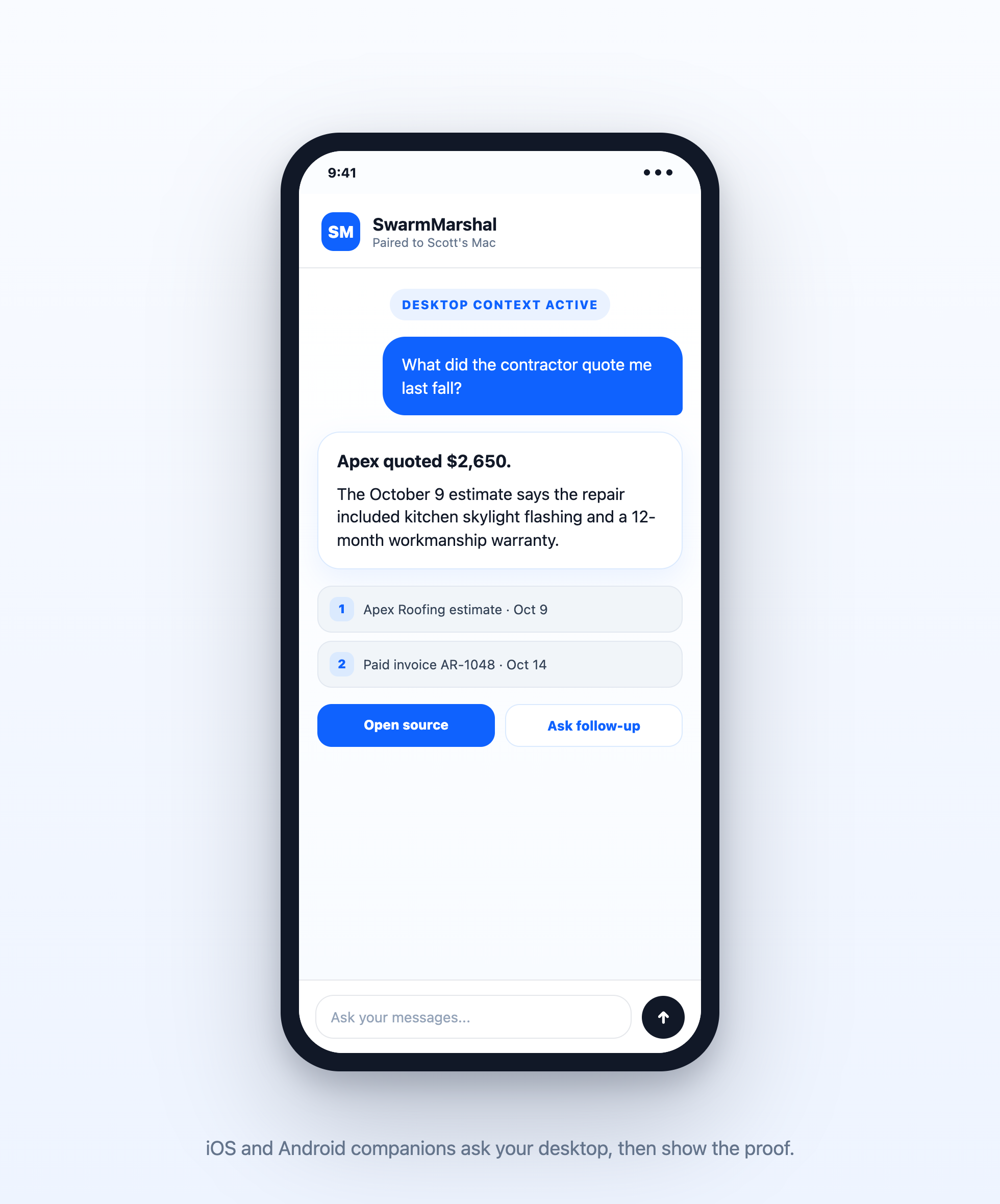
Download Talavine from the App Store, then pair it with the desktop app. The Android companion is coming soon.
Open pairing in the desktop app, scan the QR code or enter the short code, and the phone receives an encrypted connection to your data hub.
Ask questions, open cited proof, add a file or receipt photo to your data hub, and approve sensitive assistant actions when you're away from the keyboard.
Five minutes, no exposed ports, no hosting. Your desktop keeps doing the work; Telegram just carries the conversation, plus your morning briefing.
1. In Telegram, message @BotFather → /newbot and copy the bot token.
2. In Talavine, open Channel Settings → add Telegram → paste the token and put your own Telegram user ID in Allowed user IDs so the bot answers only you.
3. Message your bot /start, then ask it anything your desktop knows.
Text the bot /briefing on once and each morning's briefing is delivered to that chat after it's generated — calendar, commitments, and mail highlights, with sources waiting on the Today page. /briefing now sends today's on demand; /briefing off stops it.
Once your accounts are connected, open Settings → MCP Connectors in Talavine and click Connect next to the app. Claude Code and other MCP clients point at the bundled Talavine.McpServer with a short config entry. Your agent gets ~40 typed tools — context packs, thread and person history, search, compose, and act — across every inbox at once.
mcp.json{
"mcpServers": {
"talavine": {
"command": "Talavine.McpServer"
}
}
}The installer creates a Talavine.McpServer command shim on your PATH. Set Talavine_DATA_DIR in env if you use a non-default profile.
{
  "mcp": {
    "servers": {
      "talavine": { "command": "Talavine.McpServer" }
    }
  }
}
Codex launches the binary on stdio and discovers the tool catalog on handshake. No keys, no HTTP, no remote service.
Pair your own computers over the local network, copy on one machine, paste on the other, and give your agent a private path to move files or assign work when the other device has the right tools.