Bring in the details
Connect supported accounts and add the notes and documents the job needs.
 Talavine
An AI agent is a helper you give a job. It can gather information, prepare a client update, or draft a follow-up using the accounts and files you allow. Set it up once for recurring work, then check its progress and review the results.
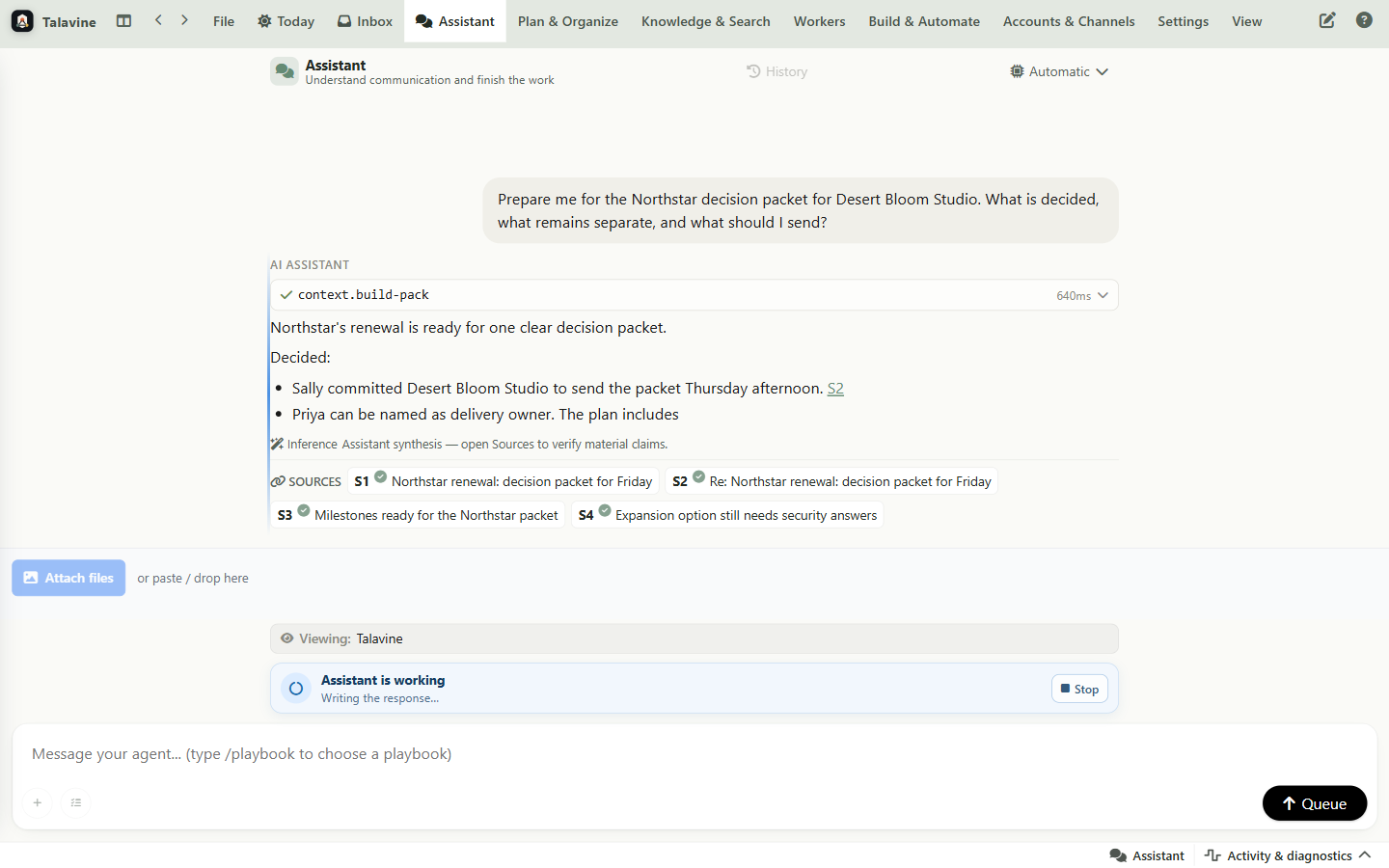
Connect supported accounts and add the notes and documents the job needs.
Ask it to prepare a client briefing, find an unanswered question, or draft a follow-up.
Summaries, drafts, tasks, searches, and suggested rules are created.
Set when the helper needs your approval. Check important details and review what it prepares.
Each agent has a role, like a careful assistant who knows the difference between preparing work and making decisions for you.
Shows you what actually needs attention before the day starts running you.
Writes the boring first version so you can edit instead of starting from a blank box.
Turns loose promises into reminders, tasks, and calendar-aware next steps.
Keeps newsletters and repeat clutter from crowding out the people you care about.
Remembers who someone is, what was promised, and where the last conversation left off.
Looks things up in approved tools so replies are based on real information, not guesswork.
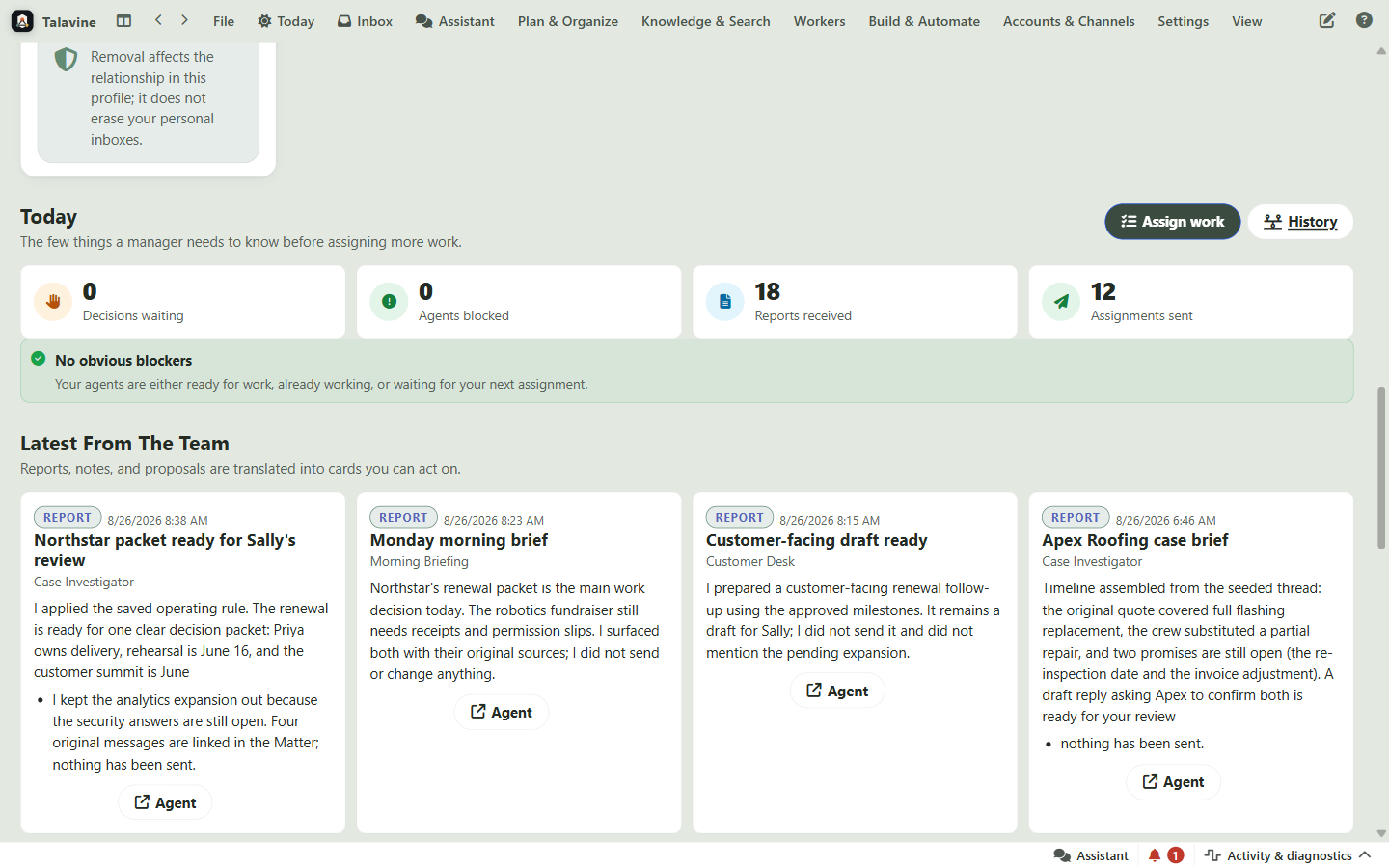
The team dashboard keeps agents visible: reports, prepared drafts, review queues, and where work is blocked. Sally's Northstar packet stays a draft until she decides otherwise.
When an agent needs a tool or approval, the request appears in the conversation so you can understand the action before saying yes. And after the fact, every consequential action has a receipt. Ask "why did you do that?" and the answer comes from evidence. How the decision ledger works →
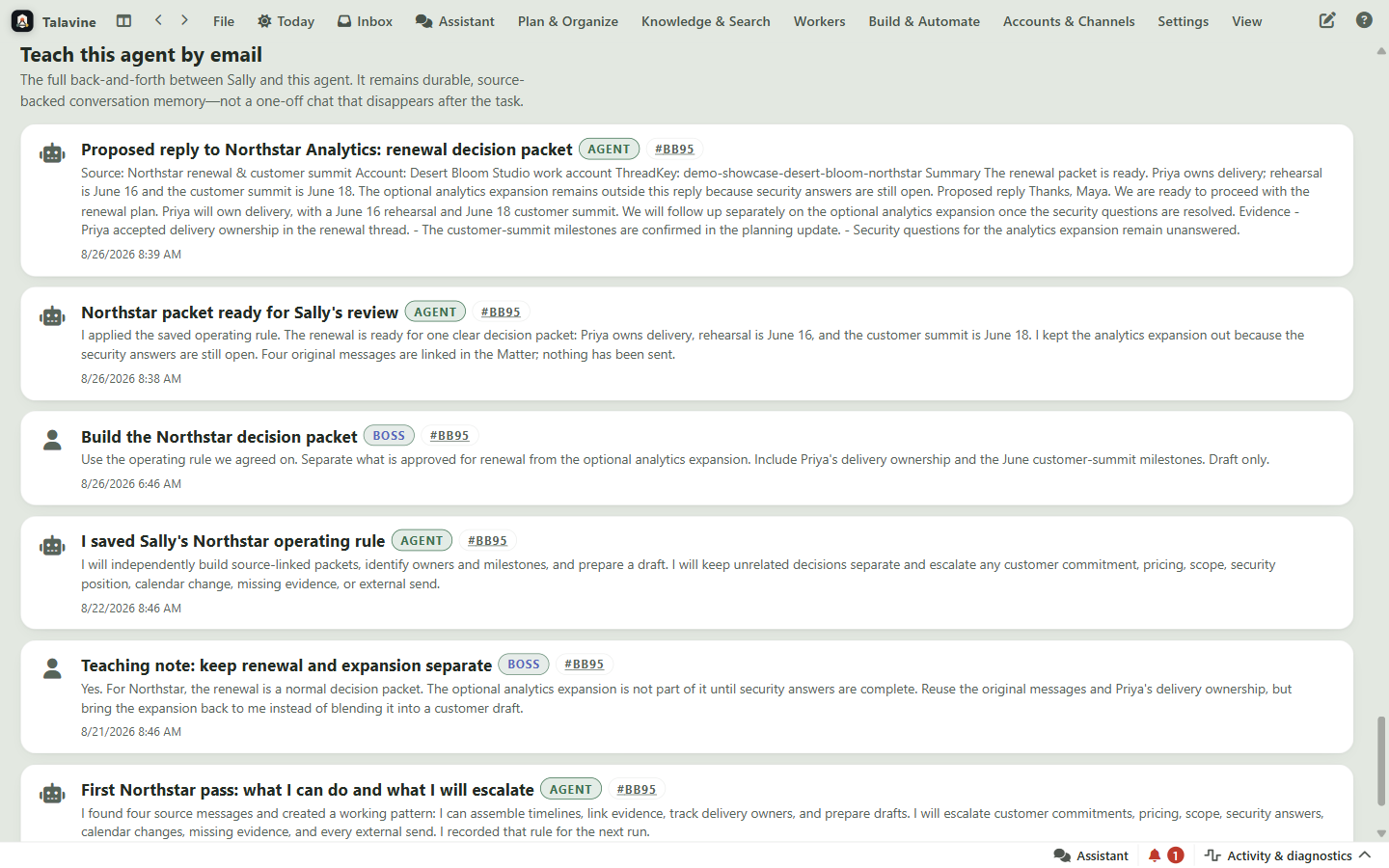
Sally hires the Case Investigator for a narrow Northstar job, then teaches it one rule in a normal message: keep the renewal and the security-blocked expansion separate. The agent keeps that instruction with its source links and work journal, so it can prepare the next packet without pretending it can make Sally's decisions.
A helper has a name, a narrow role, the sources it's allowed to read, and a visible activity log. You set the job, review what it prepares, and decide what it may do on its own, which starts at "draft only, nothing sends."
The magic is less magical when you can see the safety rails.
Decide which actions need your review before the helper proceeds.
A support agent and a household admin agent can have different permissions.
Good answers point back to the messages or tools they came from.
Choose supported AI options to suit the work, your budget, and your privacy needs.
The inbox feeds the agents; the agents feed you a smaller set of drafts, reminders, summaries, and decisions.